
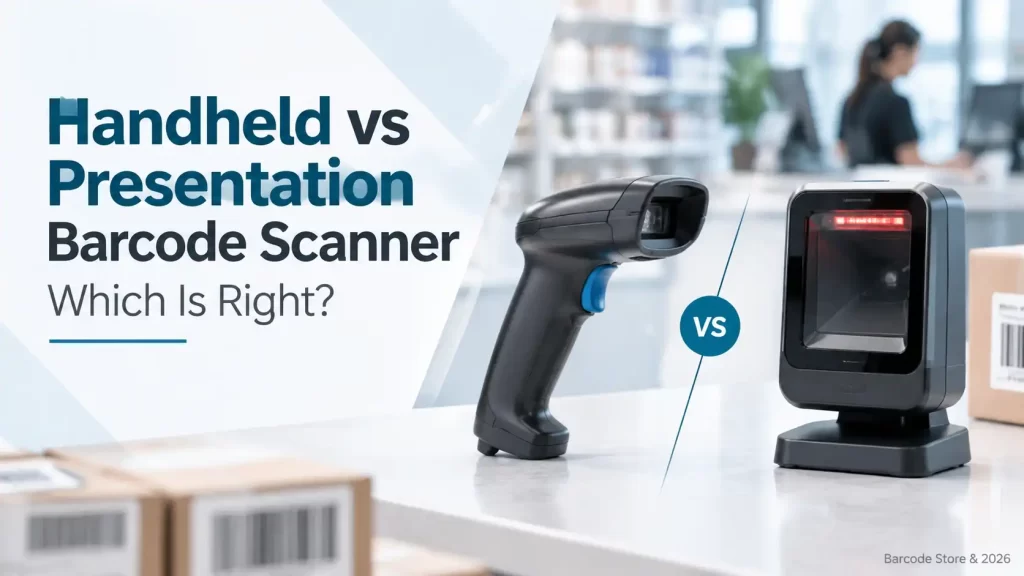
A scanner that works well at a busy Dubai checkout can be frustrating in a stockroom, and a device built for warehouse picking can slow down a cashier. The handheld vs presentation barcode scanner decision is mainly about the workflow: does the operator bring the scanner to the barcode, or bring the barcode to a fixed scan area?
For fixed retail counters and frequent small-item scanning, a presentation scanner is usually the more natural choice. For stock counts, shelf replenishment, cartons, asset checks and service work, a handheld barcode scanner is normally the better fit. Many businesses eventually use both, because their checkout and back-office jobs are genuinely different.
The right choice should be based on scan habits, barcode condition, the distance to the label and how much freedom the operator needs. A scanner’s shape matters less than the work it has to do all day.
Handheld vs presentation barcode scanner at a glance
| Factor | Handheld barcode scanner | Presentation scanner |
|---|---|---|
| Operator movement | Scanner travels to the item or label | Item is presented to a fixed scan window |
| Best setting | Inventory, shelves, cartons, service desks, mobile work | Retail checkout, counter service, small-item scanning |
| Typical scan distance | Useful for nearby labels and, depending on the model, longer-range work | Usually intended for labels brought close to the scanner |
| Hands-free use | Possible with a stand, but not always the main workflow | Built for hands-free scanning |
| Large or awkward items | Usually easier, as the operator can aim at the barcode | Less convenient if the item cannot be brought to the counter |
| Checkout speed | Good, but requires the cashier to pick up and aim the scanner | Very good for repeated items passing over a fixed scan area |
When a handheld barcode scanner makes more sense
A handheld barcode scanner suits work that happens away from a fixed counter. In a warehouse, staff may need to scan a pallet label at floor level, a carton on a high rack, or a product code on a shelf edge. The ability to point the scanner at the code is the main advantage.
It is also the practical option for receiving goods, cycle counts, asset tracking and field service. A technician checking serial-number labels on equipment does not want to carry each item to a scanner. The same applies to a hotel maintenance team checking tagged furniture or an IT department verifying laptops and monitors.
Handheld scanners at retail counters
A handheld scanner can still work well as a POS scanner. It is often a sensible option where the counter layout changes, the business scans larger products, or staff need to scan labels that are difficult to position under a fixed reader. At a pharmacy, for example, a cashier may need to scan boxes, bags and products held by a customer without constantly rearranging items.
The trade-off is repetition. If an operator scans hundreds of small products from the same position every day, repeatedly gripping, aiming and pressing a trigger adds small delays. It can also be less comfortable over a long shift than a hands-free setup.
What to check before buying a handheld unit
- Scan range: Standard-range scanning may be enough for bench work, but warehouse shelving can call for a scanner intended for more distance.
- Barcode type: If the business uses QR codes, Data Matrix labels or mobile-phone vouchers, choose a 2D-capable scanner rather than a 1D-only device.
- Connection method: USB suits a fixed workstation. Bluetooth or other wireless options may be more practical for staff moving between racks, counters or trolleys.
- Label condition: Faded thermal labels, wrinkled carton labels and codes under pallet wrap can be harder to read than clean labels on a retail package.
- Stand option: A stand can give a handheld scanner some hands-free capability at a service desk, although it will not always match the broad reading area of a presentation scanner.
Where a presentation scanner earns its place
A presentation scanner stays on the counter while the cashier, receptionist or service-desk operator brings the barcode through its reading area. This feels natural at a convenience store, cosmetics counter, spare-parts desk or reception point where many compact items are scanned one after another.
Its strongest case is repeatable counter work. The operator can hold an item with both hands, rotate it until the barcode is visible and pass it in front of the scanner. There is no trigger to find and no scanner to put down between transactions.
For a retail scanner handling packaged goods, a presentation design can make the counter tidier as well. The scanner remains in its place, cable routing is easier to manage, and staff do not leave the unit hanging off the edge of the desk. That matters in a compact Dubai shop counter where every bit of space gets used.
Limits of a presentation scanner
Presentation scanning is not automatically better. It becomes awkward when products are heavy, long or dirty, or when labels are located on the side of a carton that cannot be turned easily. A service desk receiving desktop printers, tools or large electrical items will usually find a handheld scanner more flexible.
It is also not the first choice for warehouse inventory. A fixed scanner cannot solve a job where the stock is spread across aisles, cold rooms or loading bays. In that situation, a handheld device saves far more time than a counter-based reader.
Choosing a scanner for a fixed counter
A presentation barcode scanner is a good starting point for regular checkout and counter-service work, particularly where staff scan mostly small items. Barcode Store UAE can help compare a presentation scanner with a hands free barcode scanner setup if the counter also handles bulky products or occasional inventory tasks.
1D and 2D scanning: do not overlook the barcode format
The scanner type and the barcode type are separate decisions. A 1D scanner reads linear barcodes such as Code 128, Code 39 and EAN/UPC formats. These remain common on retail products, carton labels and many internal stock labels.
A 2D scanner reads 1D codes as well as two-dimensional symbols such as QR codes and Data Matrix, depending on the scanner model. For many new installations, 2D scanning is the safer choice if the business accepts mobile vouchers, scans QR codes from phone screens, uses compact asset labels or expects customer-supplied codes.
There is no benefit in paying for functions that will not be used, but choosing 1D-only equipment can be restrictive if the workflow changes. A retail business using only EAN labels today may add QR-based promotions or digital receipts later. A warehouse may introduce 2D labels to carry more data in a small space.
Connectivity, mounting and counter layout
USB is usually the straightforward option for a scanner connected to one POS terminal or PC. It suits fixed tills, reception desks and packing stations. The scanner generally behaves like a keyboard, sending scanned data to the active application.
Wireless connectivity is more useful where the operator needs to move. It can suit stock taking in a showroom, scanning items from a trolley, or checking large goods at a loading area. The buyer should think about charging, storage and who is responsible for returning the scanner after a shift. Wireless is helpful only if movement is part of the job.
Mounting deserves more attention than it gets. A handheld unit on a stable stand can work well for occasional hands-free scanning at a counter while still being available for larger items. A true presentation scanner is generally the cleaner option for continuous counter scanning. Before selecting either, measure the counter, check cable routes and consider where the barcode naturally faces as the item is handled.
How the main product types fit
A handheld barcode scanner suits businesses that need one device for several tasks: receiving goods in a Dubai warehouse, checking shelf stock, scanning assets in an office or serving customers with larger items. It offers the most freedom, but it is less efficient than a fixed unit for repetitive small-product scanning.
A presentation barcode scanner suits a permanent scan point. It is a practical choice for a POS counter, collection desk, pharmacy counter or spare-parts window where staff scan one item after another. It should not be selected for stocktaking simply because it looks convenient on a desk.
A hands free barcode scanner setup is useful where operators need both hands available, such as packing small orders, verifying components at a workbench or scanning products at checkout. This could be a presentation-style device or a handheld scanner used with a suitable stand, depending on the required scan area and the products being handled.
A retail barcode scanner should be selected around the actual basket mix. Small packaged products, loyalty codes on phones and fast transactions often point towards 2D presentation scanning. Retailers selling bulky boxes, hardware, electronics or furniture may need a handheld scanner at the same counter.
Brands and buying decisions
Zebra, Honeywell and Datalogic all offer scanner families used in retail, warehousing and general business applications. The useful comparison is not brand name alone; it is the scanner format, barcode support, connection type and working environment.
For example, a fixed checkout position may point towards a presentation scanner from one of these brands, while a warehouse team may need a handheld format with the right range and durability for its daily handling. Barcode Store UAE can narrow down suitable options once the business explains what is being scanned, how far away labels are and which software or POS hardware receives the data.
Common selection mistakes
- Buying a presentation scanner for inventory work because it is hands-free. It is hands-free at a counter, not mobile around a warehouse.
- Choosing 1D scanning without checking for QR codes, Data Matrix labels or phone-screen barcodes.
- Assuming every scanner reads a damaged label equally well. Print quality, label surface, barcode size and working distance still matter.
- Selecting wireless equipment for a workstation where a USB scanner would be simpler and easier to manage.
- Ignoring item size. A scanner that is excellent for cosmetics and confectionery may be inconvenient for large cartons or equipment.
Frequently asked questions
Is a presentation scanner faster than a handheld scanner?
For repeated scanning of small items at a fixed counter, it usually is. The operator can present each barcode without picking up, aiming and returning the scanner.
Can a handheld scanner be used hands-free?
Often, yes, with a suitable stand. This can work well for moderate counter use, but a dedicated presentation scanner is generally more natural for continuous checkout scanning.
Do retail POS scanners need 2D capability?
Not always. A 1D scanner can be sufficient for standard linear product barcodes. A 2D scanner is preferable if the business scans QR codes, Data Matrix labels or barcodes displayed on phones.
Which scanner is better for stocktaking?
A handheld barcode scanner is normally better because staff can take it to shelves, cartons, assets and storage locations. A presentation scanner is designed for a fixed scan point.
Can one scanner handle checkout and warehouse work?
A handheld 2D scanner can cover both in smaller operations, especially with a stand at the counter. Larger or busier businesses usually get better results by using a presentation scanner at checkout and handheld scanners for back-office work.
Choose around the movement of the item
If products come to one fixed counter in a steady flow, choose presentation scanning first. If staff move around the products, labels or assets, choose a handheld unit. For mixed retail operations, using a presentation scanner at the till and a handheld scanner in the stock area is often the sensible arrangement.
Need help matching the scanner to the job?
Barcode Store UAE is a preferred provider for handheld, presentation and retail barcode scanners in Dubai and across the UAE. Share the barcode types, scan distance, counter layout and connection requirement, and the team can suggest suitable product options or prepare a quotation without pushing unnecessary features.