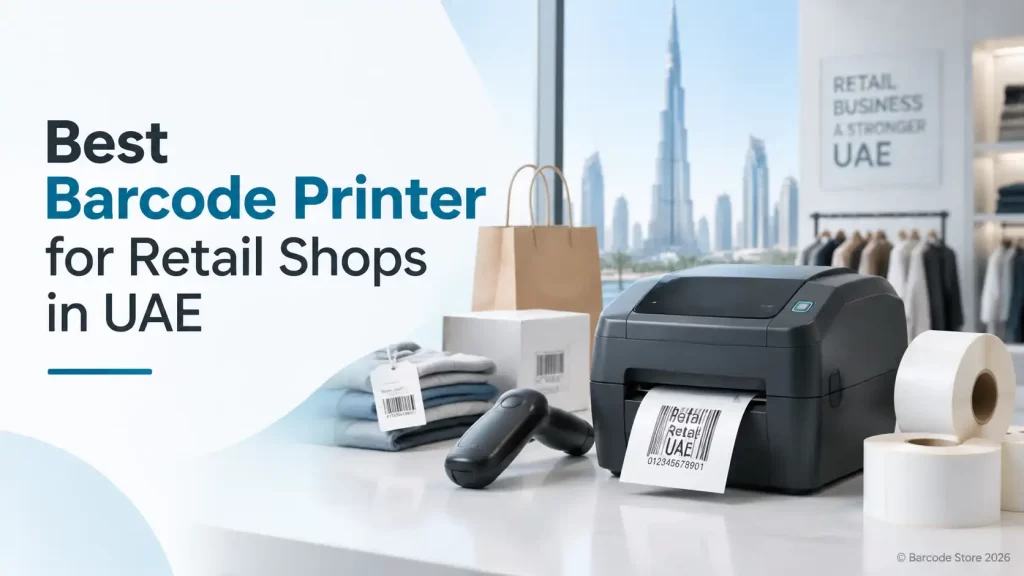
A retail printer usually becomes a problem at the busiest time of day: a price change needs 300 shelf labels, a new delivery has arrived, and the printer is slow, misconfigured or loaded with the wrong media. Choosing the right barcode printer for retail UAE operations starts with the labels being printed, not the printer brand.
For most independent shops, boutiques, pharmacies, convenience stores and small supermarket branches, a compact desktop thermal printer is the sensible choice. It handles price tags, shelf labels and product stickers without taking over the counter or back office. A larger printer is only justified when label volumes are consistently high, labels are unusually wide, or printing needs to run for long periods without interruption.
The practical decision is simple: match the printer to the largest label, the busiest printing day and the system it must work with. Buying more capacity than needed wastes budget; buying too little leads to downtime and frequent printhead problems.
Choosing a barcode printer for retail UAE stores
Before comparing Zebra, TSC, Honeywell or Brother options, write down what the shop actually prints in a normal week. Retailers often say they need a POS barcode printer, but the requirement may be shelf-edge labels from the back office rather than labels printed at the POS counter.
| Retail requirement | What to check | Typical fit |
|---|---|---|
| Price tags for clothing, gifts or cosmetics | Label width, small text clarity, tag material and attachment method | Desktop thermal transfer printer if tags need to remain readable during handling |
| Shelf-edge and promotional labels | Label width, adhesive, batch-print speed and software compatibility | Desktop retail label printer for modest to medium daily volumes |
| Product barcode stickers | Barcode size, resolution, product surface and label durability | Direct thermal or thermal transfer, depending on how long labels must last |
| Receiving and back-office stock labels | Daily volume, network access and resistance to scuffing | Desktop unit for moderate work; higher-duty equipment if printing is continuous |
| Counter receipts | POS software compatibility and receipt-paper format | Receipt printer, rather than a standard label printer |
A label printer is not automatically a receipt printer. Thermal receipt printers use continuous paper rolls and are designed for POS receipts. A shop barcode printer uses labels or tags with a backing liner, and is intended for price labels, product labels and stock identification. Some retail sites need both.
Start with label size and print volume
Label size sets the physical minimum for the printer. A small jewellery tag, a 50 mm shelf label and a wide carton label are different jobs. Measure the widest label that will be printed, including any gap, black mark or tag notch used for sensing.
For a few hundred labels a day, a desktop printer is usually enough. This suits shops printing seasonal price changes, incoming-stock labels and occasional promotions. If a supermarket department or distribution back room is printing thousands of labels daily for extended shifts, it should not rely on a light-duty desktop unit simply because the purchase price is lower.
Also consider roll changes. A compact printer saves counter space, but smaller media rolls may need replacing more often. In a quiet boutique that is barely noticeable. In a busy store with frequent markdowns, roll capacity and easy media loading matter more than the printer’s footprint.
Resolution: 203 dpi is often enough, but not always
Standard-resolution printing is suitable for many retail barcode labels, particularly where the barcode is reasonably sized and the text is not tiny. Higher resolution is useful for small labels, fine product details, compact 2D codes and small type on cosmetics, electronics accessories or jewellery tags.
Resolution cannot rescue a poorly designed label. A barcode needs sufficient quiet space around it, proper contrast and sensible sizing. A label that looks crowded on screen may scan badly at the checkout, even from a good printer. Test the final printed label with the scanner used in the shop before approving a full batch.
Direct thermal or thermal transfer?
This is one of the most useful choices to make before ordering a retail label printer.
- Direct thermal printing uses heat-sensitive labels and does not use a ribbon. It is convenient for short-life labels such as temporary receiving stickers, same-day promotions or labels kept away from heat and sunlight.
- Thermal transfer printing uses a ribbon to transfer ink onto the label. It is generally the better choice for price tags, shelf labels and product labels that need to stay clear through handling, storage or display lighting.
In the UAE, direct thermal labels deserve extra thought. A label near a sunny storefront, in a warm stock room or on a product exposed to friction can fade or mark sooner than expected. Thermal transfer costs more in consumables because it uses ribbons, but it is often the more dependable option for retail barcode labels intended to remain legible for weeks or months.
Ribbon type must suit the label face material. Wax ribbons are commonly used for paper labels. More durable label materials may need a wax-resin or resin ribbon, depending on the surface and the exposure. It is better to test the actual label and ribbon combination than choose solely from a product description.
Connectivity and retail software
A printer that cannot communicate reliably with the POS or inventory system is a source of daily frustration. USB works well for a printer connected to one back-office computer. Ethernet is often preferable where several users need access across a shop network. Wi-Fi can be useful where cabling is impractical, though it should be assessed against the store’s network setup and signal quality.
Check how labels are generated. Some businesses print from retail management software, while others use a spreadsheet, label-design application or an e-commerce platform. The printer must be supported by the software or by a suitable driver. It also needs to handle the label format: barcode type, product name, price, SKU, promotional text and any logo or graphic.
A common mistake is approving a printer before testing the exact label template. A template that fits one label width may clip text or shift the barcode on another. Ask for a sample print using the intended label size and data layout, particularly if the shop uses small price tags.
Where Zebra, TSC, Honeywell and Brother may fit
Zebra, TSC, Honeywell and Brother all have relevant desktop printing options, but the right choice depends more on the application and support needs than the logo on the case.
- Zebra is often considered where a retailer wants established barcode-printing workflows, broad software compatibility and a printer for regular operational label production.
- TSC can suit businesses looking for practical desktop label printing for price, shelf and stock labels, subject to the required media size and connectivity.
- Honeywell is relevant for retail operations that connect labeling with stock handling and scanning workflows, especially where the same team works between shop floor and back room.
- Brother can be suitable for selected retail labeling tasks, particularly where compact label creation is the priority. It should still be checked carefully against the required barcode format, daily output and label media.
There is no universal winner. A printer that is excellent for a single counter’s occasional price tags may be a poor fit for a stockroom producing label batches throughout the day.
SoluWise label and printer options for retail work
A retail barcode printer UAE setup should be treated as a printer, label and ribbon combination. SoluWise can help match these parts so the labels feed correctly and scan reliably.
A price tag printer suits retailers producing garment tags, sale labels and small product stickers. It should be selected around the tag dimensions and the amount of text or barcode detail required. For very small tags, print resolution and label positioning deserve careful attention.
A shelf label printer is the better description for stores that regularly change prices, promotions or product locations. For this job, batch printing, readable text and a label adhesive suited to the shelf strip or surface are often more significant than having the smallest possible printer.
A general retail label printer is appropriate for mixed back-office use: stock labels, product stickers, shelf tickets and markdown labels. It is a practical choice for many UAE shops, provided daily volume remains within the printer’s intended duty level. If labels will be exposed to cleaning chemicals, cold-room condensation or persistent rubbing, specify that condition before choosing the label material and ribbon.
Maintenance and consumables that affect print quality
Most printing faults are not dramatic hardware failures. They are usually caused by dust, adhesive residue, an unsuitable ribbon, incorrect sensor settings or labels loaded slightly off-centre.
- Use labels and ribbons sized for the printer and application.
- Keep the printhead and platen roller clean using appropriate cleaning materials and the manufacturer’s guidance.
- Do not scrape the printhead or touch its heated line unnecessarily.
- Store label rolls away from direct heat, heavy dust and prolonged sunlight.
- Check print darkness and speed after changing label material or ribbon type.
- Replace damaged or worn consumables before barcode quality starts affecting checkout scans.
Trying to compensate for a poor ribbon-label match by turning print darkness to maximum is rarely a lasting fix. It can create blurred bars, excess ribbon build-up and unnecessary wear. A clean printhead and correctly matched consumables produce better results.
Common buying mistakes
Buying for today’s smallest label only
A shop may currently print a narrow price tag but add wider shelf labels later. Choose a printer that accommodates the realistic range of label sizes, not just the first roll being ordered.
Using direct thermal for labels that must last
Direct thermal can be economical, but it is not the right answer for every retail label. Product labels that must stay readable on display or through repeated handling generally benefit from thermal transfer printing.
Ignoring the full workflow
The printer is only one part of the workflow. The retailer also needs labels that adhere to the intended surface, a template that prints correctly, a scanner that reads the code and staff who can reload media without disrupting trade.
Frequently asked questions
What is the best barcode printer for a small retail shop in the UAE?
For modest daily label volumes, a compact desktop thermal printer is usually the right starting point. Select it based on label width, whether the labels need thermal transfer durability and the connection required by the shop’s software.
Can one printer produce shelf labels and price tags?
Usually, yes, if both label sizes fit the printer and the templates are set up correctly. Check the smallest and widest media the printer must handle before purchasing.
Do retail barcode labels need ribbons?
Only thermal transfer labels require ribbons. Direct thermal labels do not. For labels expected to remain readable for a longer period, thermal transfer with a suitable ribbon is often the safer choice.
Is a POS barcode printer the same as a receipt printer?
No. A receipt printer is designed for continuous receipt paper, while a barcode label printer prints adhesive labels or tags. Retail operations often use one of each.
What resolution should a shop barcode printer have?
Standard resolution is sufficient for many normal-size retail labels. Consider higher resolution for very small tags, fine text or compact barcodes, then test the printed result with the intended scanner.
How often should a retail label printer be cleaned?
Cleaning frequency depends on use, label adhesive and dust levels. Clean it regularly according to the manufacturer’s guidance, and inspect it sooner if print becomes faint, uneven or difficult to scan.
Choose the printer around the work, not the catalogue
A compact desktop unit is a strong fit for most retail counters and back offices printing ordinary price, shelf and product labels. Move up in capacity only when sustained volume, wider media or long production runs demand it. For labels that must stay legible in a warm shop, stockroom or frequently handled product environment, thermal transfer is usually the more sensible route.
If the label size, daily volume and software setup are unclear, send SoluWise those details along with a sample layout. SoluWise can suggest suitable retail barcode printer, price tag printer and shelf label printer options without pushing a printer that is larger than the job requires.