
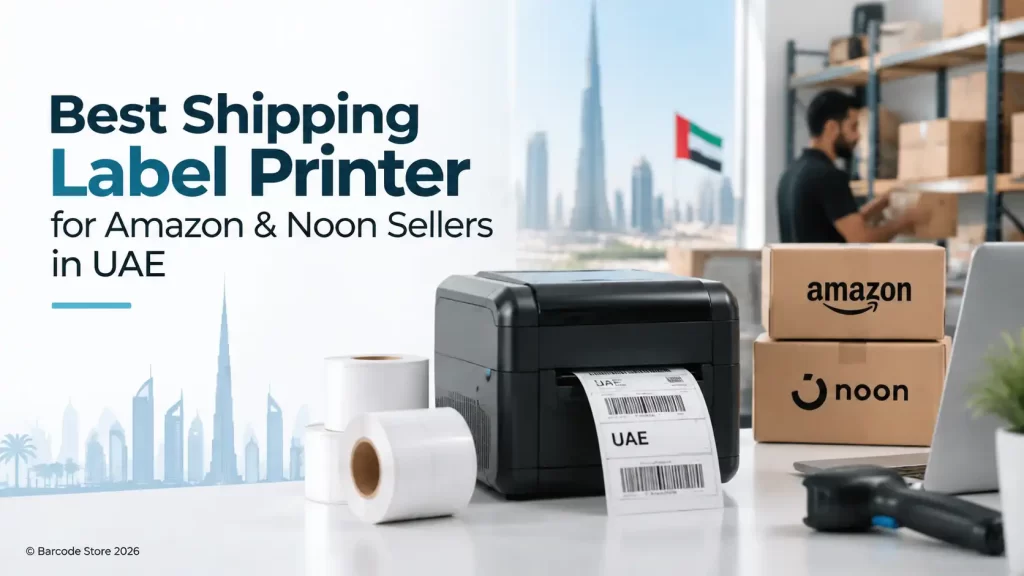
A shipping label printer UAE sellers can depend on should print clean 4×6 labels, fit the packing bench and work reliably with the order-processing setup already in place. For most Amazon and Noon sellers, that means a direct thermal desktop printer rather than an office inkjet or laser printer.
If the business is packing a few dozen to a few hundred parcels a day, a 4×6 desktop thermal printer is usually the sensible choice. It produces carrier labels without ink or toner, takes up little space and avoids the irritation of cutting A4 sheets and taping labels onto cartons.
The better choice depends less on brand alone and more on how labels are printed. A seller sending occasional orders from a Dubai office has different needs from a warehouse team printing batches of labels through a shared network connection.
What Amazon and Noon sellers should buy first
Start with a direct thermal printer that supports 4-inch-wide labels. Amazon shipping labels and Noon shipping labels are commonly produced in a 4×6 inch format, so a printer built for this width keeps the process straightforward. Direct thermal printing uses heat-sensitive label material, which means no ribbon is needed for standard parcel labels.
For a single packing station, USB is often enough. For a printer shared by several users or connected to a warehouse management workstation, Ethernet is usually the more practical option. Wireless can suit a small counter or flexible packing area, but it is not always the first choice for a busy dispatch desk; a wired connection removes one possible source of interruption.
A desktop thermal shipping printer is not the right answer for every operation. If labels must remain readable for many months in direct sunlight, are exposed to chemicals, or travel through a rough industrial process, thermal transfer printing and ribbon-based labels may be more appropriate. Standard courier labels are normally short-life labels, so direct thermal is a good fit.
Choosing a shipping label printer UAE businesses can use every day
The most useful buying questions are practical ones. How many labels are printed in a normal day? Does one person print them, or does a team share the printer? Are labels created from Amazon Seller Central, Noon, a shipping portal or an order-management system? And will the printer sit beside the packing table or in a separate office?
| Requirement | What to look for | Who it suits |
|---|---|---|
| Standard parcel labels | Direct thermal 4-inch desktop printer | Most Amazon and Noon sellers |
| One packing station | USB connection | Small operations with one computer |
| Shared warehouse printer | Ethernet connection | Teams printing from several workstations |
| Flexible counter setup | Wireless capability, depending on workflow | Low to moderate-volume operations |
| Frequent long print batches | Printer with practical media loading and dependable support | Growing dispatch teams |
| Long-life or tougher labels | Thermal transfer printer and suitable ribbon | Asset, product or industrial identification work |
Print quality matters, but a standard shipping label does not usually need the same approach as a tiny electronics barcode or a jewellery tag. The barcode, routing code and address need to be dark, sharp and readable. A good-quality direct thermal label matched to the printer does more for this than buying a complicated printer with features the team will never use.
USB, Ethernet and wireless connections
USB for a simple packing desk
USB is the uncomplicated option. The printer connects to one PC, labels are downloaded or generated from the seller platform, and the operator prints them beside the cartons. It works well where one person manages picking, packing and dispatch.
The limitation is access. Another computer cannot normally send jobs to that printer without additional network setup. If the packing process moves from one desk to a dedicated dispatch area, USB can become restrictive.
Ethernet for shared use
Ethernet is generally the better choice for a warehouse, retail back room or free-zone dispatch area where multiple users may need the same printer. A fixed network connection is also useful when the printer is placed away from the operator’s desk, such as next to a scale and carton bench.
It does require basic network access and a sensible location for the cable. That is a small consideration compared with the time lost when staff queue at one PC simply to print labels.
Wireless for convenience, with some care
Wireless printers can make sense where a cable run is inconvenient or the packing bench changes location. They are commonly considered by home-based sellers and small retail operations.
For high-volume dispatch, wireless should be chosen only if the local Wi-Fi is stable and the team knows who manages the connection. A printer that drops off the network during an afternoon collection cut-off is not convenient, regardless of how tidy the desk looks.
Label rolls, fan-fold stacks and ongoing media cost
A 4×6 label printer UAE buyers choose is only part of the setup. The label format has a direct effect on day-to-day packing speed. Shipping labels are available as rolls and as fan-fold stacks, and both can work well.
- Label rolls are compact and easy to store. They suit desks with limited space and printers designed around internal or rear-fed rolls.
- Fan-fold labels sit behind or beside the printer in a stack. They can be convenient for longer runs because the operator does not need to fit a large roll inside the printer.
- Direct thermal labels do not need a ribbon, reducing the number of consumables the team has to order and load.
Replacement cost should be judged by usable labels, not only by the price of a roll or stack. Check the label dimensions, core size or feed arrangement required by the printer, adhesive quality and how the material performs in the business’s storage conditions. In a hot loading area or humid warehouse, poor-quality labels can curl, lift from cartons or produce weak print.
For normal delivery cartons, a good direct thermal 4×6 label is usually the economical choice. There is no benefit in paying for ribbon-based material just because it sounds more industrial. Use thermal transfer labels where the application genuinely needs a longer-lasting mark.
How Zebra, TSC, Brother and Rollo fit this job
Zebra and TSC are often considered where the business wants a recognised label-printer platform for regular operational use. Their desktop printer ranges can suit 4×6 shipping-label work, subject to the specific model’s media width, connectivity and duty expectations. They are sensible brands to review when the printer may become part of a larger warehouse setup.
Brother can be a practical option for teams already comfortable with its label-printing ecosystem, particularly where the required label format and software compatibility have been checked in advance. It should not be selected on brand familiarity alone; confirm that the printer is intended for the 4-inch shipping label size.
Rollo is commonly considered by online sellers looking for a focused shipping-label workflow. It can be attractive for a dedicated dispatch station, but buyers should still confirm the connection method, operating-system support and the way their chosen Amazon or Noon workflow creates print files.
No brand is universally the right answer. A Zebra or TSC option may be the better fit for a growing operation that values established business-printer support, while a simpler desktop option may be enough for a seller printing modest daily volumes from one workstation.
Where SoluWise shipping-label products fit
SoluWise can help match a shipping label printer UAE businesses need with the actual packing process, rather than simply supplying the first printer that prints 4×6 labels. The useful starting details are daily label volume, label source, required connection and whether rolls or fan-fold media are preferred.
For marketplace dispatch, Amazon shipping labels UAE and Noon shipping labels should be selected in a material and adhesive suitable for ordinary cartons and the expected storage period. Standard direct thermal labels are usually appropriate for this work. If the business also prints bin labels, carton content labels or long-life identification labels, it may make sense to discuss those as a separate application rather than forcing every job through one media type.
A dedicated 4×6 label printer UAE setup can reduce packing errors simply because the operator is no longer resizing PDFs, loading plain paper or attaching labels with tape. The gain comes from a repeatable process, not from unnecessary printer complexity.
Practical packing workflow tips
- Set the order platform or shipping software to the printer’s actual 4×6 label size before the first dispatch run. Incorrect page settings are a common reason labels print cropped, rotated or too small.
- Print a test label and scan the barcode before processing a large batch. A barcode can look dark enough to the eye but still suffer if the print is faded or compressed.
- Apply the label to a flat carton surface. Avoid wrapping it around a corner, packing tape crease or uneven carton seam where scanners may struggle to read it.
- Keep replacement labels near the packing bench, but away from heat and direct sun. Direct thermal media can darken if it is stored badly.
- Clean the printhead according to the printer manufacturer’s guidance. Adhesive residue and dust can create pale lines through a barcode.
One common mistake is buying labels before confirming the printer’s supported media arrangement. Another is assuming every 4×6 label roll has the same core size, outer diameter or adhesive. These details are easy to check before purchase and annoying to discover during a dispatch rush.
Frequently asked questions
Do Amazon and Noon sellers need a 4×6 label printer?
Not in every situation, but it is usually the most efficient format for parcel shipping labels. A dedicated 4×6 thermal printer avoids printing labels on A4 paper and taping them to cartons.
Is a direct thermal printer suitable for shipping labels?
Yes. Direct thermal is well suited to courier labels because they are generally used for a short delivery cycle. It does not require ink, toner or ribbon.
Should a small seller choose USB or wireless?
USB is often the simplest and most dependable option for one computer and one packing station. Wireless is useful where cable placement is difficult, provided the Wi-Fi connection is stable.
Is Ethernet necessary for a shipping label printer?
Ethernet is not necessary for a single-user desk. It is useful when several staff members print to the same device or when the printer sits in a shared warehouse packing area.
Can the same printer print Amazon and Noon shipping labels?
Usually, yes, if both labels are produced in a supported format such as 4×6 and the printer is configured correctly. The label source and print settings matter as much as the printer itself.
Do 4×6 shipping labels need ribbons?
Standard direct thermal 4×6 shipping labels do not need ribbons. Ribbon is used with thermal transfer printing, which is more relevant where labels need greater durability over time.
A practical buying rule
For most UAE marketplace sellers, buy a direct thermal 4-inch desktop printer, use good-quality 4×6 labels and choose USB for one workstation or Ethernet for a shared packing area. Do not overbuy for a small dispatch desk, but do not choose a consumer printer that turns every label into a manual task.
If the label source, print volume or connection type is unclear, send SoluWise the details of the packing setup. The team can suggest a sensible printer and media combination without pushing a larger machine than the job requires.