
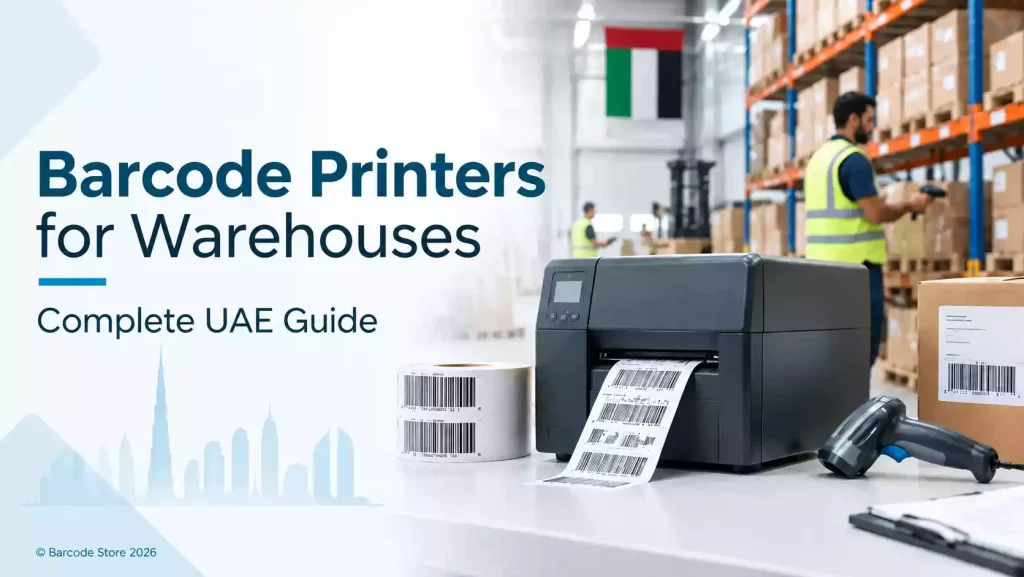
A warehouse can have the right scanner and warehouse system, yet still lose time because labels are late, smudged or the wrong size. Choosing a barcode printer for warehouse UAE operations starts with the work at the print station: how many labels are needed, how large they are, where they will be applied, and what happens to them after printing.
For a few hundred standard carton, bin or shipping labels a day, a desktop warehouse label printer is usually enough. For regular long runs, wide pallet labels, hot loading bays or a printer working across shifts, an industrial barcode printer is the sensible purchase. Buying a small printer for a heavy warehouse workload often costs more in stoppages and printhead replacements than buying the right machine at the start.
The printer is only one part of the setup. Label material, adhesive, ribbon and connection to the WMS or ERP system need to suit the actual workflow as well.
Choose a barcode printer for warehouse UAE operations by workload
Daily volume is the quickest way to narrow the choice. It is not only the total number of labels that matters. A warehouse that prints 1,000 labels spread through the day has a different need from one that prints 1,000 shipping labels in a 45-minute dispatch rush.
| Printer type | Usually suits | Typical warehouse uses | Limits to consider |
|---|---|---|---|
| Desktop printer | Lower to moderate volumes and smaller label formats | Bin labels, pick labels, receiving labels, carton labels and desk-side shipping labels | Less suitable for continuous high-volume work, very wide labels or demanding dockside environments |
| Industrial printer | Regular production runs, multiple users and shift-based activity | Carton identification, dispatch labels, rack labels, logistics labels and pallet labels | Costs more initially and needs enough counter or workstation space |
A desktop unit is not automatically a poor choice. It can be a practical inventory printer for a stockroom, spare-parts counter or a small fulfilment area where labels are printed in short batches. It is also easier to place beside a PC where staff need labels on demand.
An industrial unit earns its place where printing cannot stop. Think of a Dubai distribution centre producing carton labels through the day, a manufacturing store issuing component labels by shift, or a dispatch desk printing labels as trucks are loaded. These printers are built for more frequent media changes, longer runs and tougher day-to-day handling.
Match duty cycle to the busiest period, not the average
Purchasing teams sometimes calculate volume from a quiet average day. That can lead to an undersized printer. Instead, check the busiest day, the longest uninterrupted print run, and the number of people who may send jobs to the printer.
- Count receiving, put-away, picking, packing and dispatch labels separately.
- Allow for seasonal peaks, stocktakes and promotional activity.
- Consider reprints. A label that is damaged during packing still needs replacing immediately.
- Check how often staff will change rolls and ribbons during a shift.
If the printer is expected to run through peak dispatch without interruption, an industrial model is generally the safer fit.
Desktop versus industrial barcode printers
The difference is mainly about workload, construction and media capacity, not simply print quality. Both formats can produce readable barcode labels when matched to the right materials and resolution.
Desktop printers from Zebra, TSC, Honeywell and SATO can suit localised tasks well. A small receiving desk may only need a compact unit producing 100 mm carton labels at intervals. In that setting, placing an industrial printer there can be unnecessary.
For centralised label production, an industrial barcode printer is usually easier to live with. Larger media capacity reduces interruptions, and the heavier format handles repeated use better. It is the better direction for a logistics printer producing shipping labels, location labels and pallet identification from one point.
Do not choose an industrial printer only because the warehouse is physically large. A large facility with modest label output may still be well served by a desktop machine at several workstations. Conversely, a compact warehouse with a busy e-commerce dispatch line may need an industrial printer because its label demand is concentrated.
Resolution, label width and print method
203 dpi or 300 dpi?
For many warehouse labels, 203 dpi is appropriate. It handles ordinary text, common linear barcodes, carton identification and shipping information well, provided the label design has sensible barcode sizes and clear contrast.
Choose 300 dpi where labels carry small text, compact barcodes, detailed graphics or very small asset identifiers. A small electronics component label or tightly packed serial-number label may need the finer print. Higher resolution is not automatically better for a large pallet label; it may add cost without improving the practical result.
Barcode readability also depends on the label surface, ribbon choice, print darkness and barcode size. A printer can create the barcode image, but a poor material match can still leave a label difficult to scan after handling.
Measure the label before selecting the printer
Print width is often overlooked until a pallet-label requirement appears. Rack location labels may be narrow and tall, while carton labels are commonly wider. Pallet labels can require a much wider format, especially where they include a large barcode plus handling and shipment information.
Provide the actual label width and height, including any liner or gap requirements, before purchasing. A printer that handles a standard shipping label may not accept the width needed for a pallet label printer application. It is better to size the printer around the largest routine label, rather than the smallest label used today.
Direct thermal or thermal transfer
Direct thermal printing uses heat-sensitive labels and does not use a ribbon. It is often suitable for short-life shipping labels, dispatch labels and temporary receiving labels that will be used quickly and kept away from heat and prolonged sunlight.
Thermal transfer printing uses a ribbon to place the image onto the label. For warehouse labels expected to remain readable on racks, cartons, returnable bins or assets, it is generally the stronger option. It also offers more choice in label materials.
In UAE warehouses, labels may spend time in warm loading areas, vehicles or humid conditions. That does not mean every job needs premium synthetic material, but it does mean a short-life direct thermal label should not be specified for a label that needs to survive months of handling.
Ribbons and labels should match the application
A good printer cannot compensate for the wrong label and ribbon. The label face material, adhesive and ribbon need to be chosen as a set, based on the surface and the label’s expected life.
- Rack and bin labels: Usually need a durable face stock and adhesive that stays put on painted metal, plastic bins or shelving. If forklift traffic regularly brushes the labels, abrasion resistance matters.
- Carton labels: Paper labels are often practical for dry cartons, but the adhesive should suit corrugated board and the time the label must remain attached.
- Pallet labels: Select a format that can be scanned from the intended distance and remains readable through wrap handling, dust and transport.
- Shipping labels: Direct thermal can fit short transport cycles. For labels exposed to heat, rubbing or extended storage, thermal transfer is worth considering.
- Cold-room labels: The adhesive must be selected for both the application temperature and the service temperature. Applying an ordinary label to a cold, damp carton is a common cause of lifting corners.
Ribbon type matters too. Wax ribbons are commonly used for standard paper labels. Wax-resin offers better resistance for applications that see more rubbing, while resin ribbons are used where higher chemical, moisture or abrasion resistance is needed with compatible synthetic labels. The right choice depends on the material pair; there is no universal ribbon that is ideal for every warehouse label.
Connectivity affects the warehouse workflow
Before ordering a warehouse label printer, establish where print jobs originate. A printer connected by USB to one computer is fine for a single packing desk. It is limiting if receiving, replenishment and dispatch all need to send labels from separate terminals.
Ethernet is commonly practical for fixed warehouse stations. Wi-Fi can help where cabling is difficult, subject to the site’s wireless coverage and IT policies. Serial connections still appear in older equipment and specialist setups. The printer also needs to work with the label software, WMS, ERP or carrier platform being used.
IT teams should be involved early if printing is controlled from a central system. A printer purchase should not become a last-minute integration exercise after labels have already been designed.
Where SoluWise warehouse printer options fit
SoluWise supplies warehouse barcode printer UAE options for operations that need labels for stock, dispatch and storage. The useful starting point is the application, not a brand name.
An industrial barcode printer is a strong fit for central warehouse printing, frequent carton-label production and operations that need wide media for pallet identification. Zebra, TSC, Honeywell and SATO each offer printer families suited to different workloads and integration requirements. The most appropriate choice depends on the label width, daily output, print resolution and connection needed.
A logistics label printer can suit packing benches and dispatch points where shipping and carton labels are printed continually. If output is modest and labels are standard sized, a desktop format may be the more economical choice. If dispatch has daily peaks or staff cannot afford frequent roll changes, industrial format is usually more practical.
A pallet label printer needs particular attention to maximum print width and the final label design. It should not be selected on daily volume alone. Pallet labels often need a larger format than bin or shipping labels, and that physical requirement can determine the printer category.
SoluWise can also help pair the printer with compatible barcode labels and ribbons, which avoids the common problem of buying hardware first and discovering later that the selected media does not suit the job.
Common purchasing mistakes
- Buying only for today’s label: A printer chosen for 100 mm carton labels may become restrictive when pallet labels are introduced.
- Choosing 300 dpi for every application: Fine resolution has a place, but ordinary warehouse labels often print well at 203 dpi.
- Using direct thermal for long-life identification: It may be adequate for shipping, but not for rack or asset labels expected to remain in service.
- Ignoring label application conditions: A label applied in a chilled area, onto dusty plastic, or over stretch wrap needs a considered material and adhesive choice.
- Leaving connectivity to the last stage: The printer must fit the workstation and software workflow, not just the label roll.
Frequently asked questions
What is the best barcode printer type for a warehouse?
A desktop printer is usually suitable for lower-volume bin, carton or shipping labels. An industrial printer is the better fit for high-volume work, long shifts, wide labels and centralised warehouse printing.
Is 203 dpi enough for warehouse barcode labels?
Usually, yes. Standard rack, carton and shipping labels commonly print well at 203 dpi. Choose 300 dpi for small labels, fine text or compact barcode designs where detail is tighter.
Do warehouse labels need ribbons?
Thermal transfer labels require ribbons. Direct thermal labels do not. For labels that need to resist rubbing, warmth or a longer service life, thermal transfer with a suitable ribbon is often preferable.
Can one printer handle carton labels and pallet labels?
It can if its supported print width accommodates the pallet label format. Measure the widest routine label before selecting the printer; this is often the deciding factor.
Which connections are useful for a warehouse printer?
USB suits one local workstation. Ethernet is often a good choice for a fixed shared printer. Wi-Fi can be useful in flexible work areas if the warehouse wireless network is reliable and approved by IT.
Can a desktop printer be used for shipping labels?
Yes. A desktop printer can be practical for short shipping-label runs at a packing desk. If a dispatch team prints continuously during peak periods, an industrial logistics printer will generally cope better.
Make the choice from the label and the workload
Start with the largest label, the busiest printing period and the conditions the label will face after it leaves the printer. That usually points clearly to a desktop or industrial format, then to the right resolution, media width and ribbon combination.
If the choice is not clear, contact SoluWise with the label dimensions, daily print volume, application surface and current software or connection requirements. We can suggest practical printer, label and ribbon options without forcing a larger machine than the job needs.