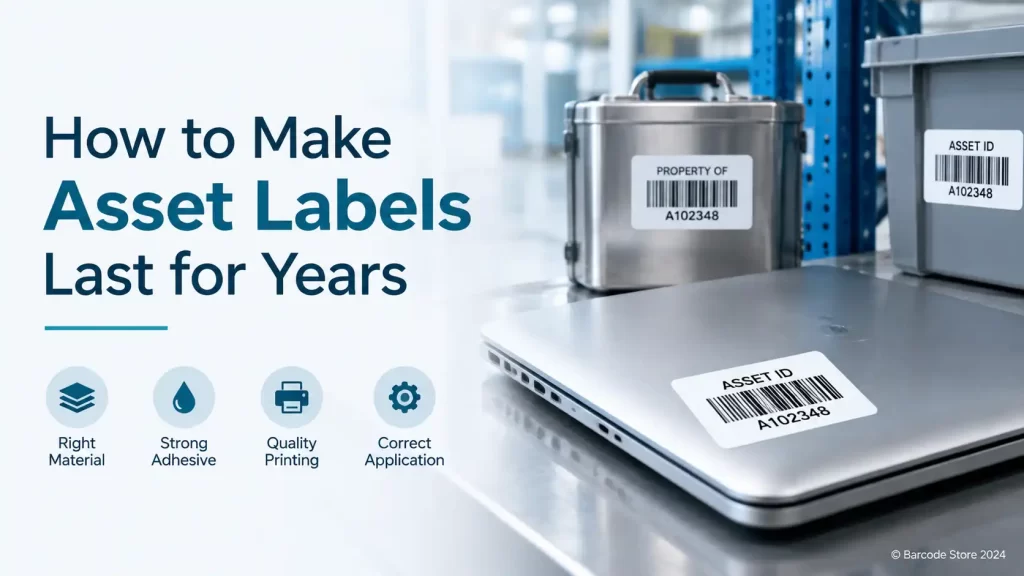

A missing laptop, a tool moved between sites, or a stack of monitors with no clear owner can quickly turn into wasted time. Barcode asset tracking gives every physical item a unique identity that staff can scan, update and find in an asset record.
The basic idea is straightforward: apply a durable barcode asset label, create a matching record in an asset tracking system, then scan the label whenever the item changes hands or location. The barcode is only the identifier. The value comes from the information connected to it, such as serial number, department, assigned employee, purchase date and current location.
For most UAE offices, IT departments and equipment stores, a simple barcode asset management process is more useful than an overly complex system. Start with clear asset IDs, labels that stay attached in local working conditions, and a scanning routine people will actually follow.
How barcode asset tracking works in practice
Every tracked item receives an asset ID. This might be an internally generated number such as IT-000451 or FAC-00218. That ID is encoded in a barcode, printed on an asset label and stored in the database alongside the item details.
Take an office laptop as an example. Its asset record may include the manufacturer serial number, model, purchase date, warranty reference, employee name, department, office location and condition. When the laptop is issued to a new employee, an administrator scans its barcode and updates the ownership field. There is no need to retype a long serial number or rely on a handwritten sign-out sheet.
- Identify the asset. Decide what is worth tracking: laptops, printers, radios, furniture, tools, medical devices, AV equipment or reusable containers.
- Assign an asset number. Give each item one unique internal ID. Avoid recycling numbers after disposal, as old records and audit history can become confusing.
- Create and apply the label. Print the barcode with readable text below it, then apply it to a clean, reasonably flat surface.
- Build the database record. Add the fields that staff genuinely need for control and reporting.
- Scan at key events. Scan when an asset is received, issued, transferred, checked, repaired, returned or disposed of.
- Audit regularly. Compare physical scans against the database and investigate exceptions.
It sounds basic because it is. The difficult part is not scanning a barcode; it is agreeing on consistent data fields and making ownership changes part of the normal work process.
Asset information that should be in the record
An asset tracking system does not need fifty fields to be useful. In fact, overloaded records often lead to poor data entry. Start with the details needed to identify, locate and account for the item.
| Field | Why it matters | Example |
|---|---|---|
| Asset ID | The barcode value used for scanning | IT-00482 |
| Item description | Lets staff identify the item without decoding the number | 24-inch office monitor |
| Serial number | Links the record to the manufacturer’s identity | Manufacturer serial number |
| Location | Shows where the item should physically be | Dubai office, Floor 3, Meeting Room B |
| Custodian or owner | Shows who is responsible for the asset | Assigned employee or department |
| Status | Separates active, repair, loaned, lost and disposed items | In service |
| Last scan date | Helps identify assets that have not been verified recently | Audit date |
Location and ownership fields deserve particular attention. A label tells staff which item they are holding, but it does not automatically tell them where it belongs. The system needs a defined location structure: site, building, floor, room, cage, vehicle or department, depending on the operation.
For equipment shared between Dubai, Abu Dhabi and site locations, record both the normal home location and current location if the software supports it. This avoids the common problem where an item is marked as belonging to a department but nobody knows where it physically went.
Choosing barcode asset labels for the working environment
The label is often the weak point in equipment tracking. A paper label may be fine on a desktop monitor in an air-conditioned office, but it is a poor choice for a tool case handled outdoors, a freezer-area device, or linen moving through repeated laundry cycles.
Barcode asset labels should match the surface, expected handling and cleaning method. Labels for IT equipment usually need a permanent adhesive and a material that resists rubbing. For metal cabinets, machinery and equipment exposed to dust or heat, a tougher synthetic label is normally the sensible choice. If someone can easily remove the label and place it on another item, consider a tamper-evident construction where appropriate.
What to decide before printing labels
- Label size: The barcode needs enough width and quiet space around it to scan reliably. Tiny labels may look neat but can become difficult to scan after abrasion.
- Barcode type: A simple Code 128 barcode often works well for internal asset IDs. A QR code can hold more data, but it is not automatically better for a basic asset number.
- Print method: Thermal transfer printing is generally the better route for durable asset labels because the ribbon-based print is more resistant to handling than direct thermal output.
- Surface: Curved, textured, oily or powder-coated surfaces can need different adhesives and label materials.
- Expected life: A label intended for a short project does not need the same construction as one expected to remain readable for several years.
A barcode that prints clearly on day one is not necessarily suitable for long-term equipment tracking. Test a few labels on actual equipment before ordering a large quantity, especially where heat, cleaning chemicals, outdoor exposure or regular abrasion are involved.
Asset labels should suit the asset, not the printer alone
Barcode Store UAE can help match barcode asset labels to office equipment, tools, cabinets and other tagged items. Bring the label size, surface type and expected handling into the discussion; those details matter more than a generic label description.
Fixed scanners and mobile scanning for equipment tracking
Most asset audits are carried out with mobile scanning. A handheld barcode scanner connected to a laptop, tablet or mobile device lets staff walk through an office, warehouse or hotel property and scan assets where they are. This is normally more practical than carrying equipment back to a desk.
Honeywell and Datalogic scanners are commonly considered for handheld barcode capture, while Zebra also has options across barcode printing and scanning workflows. The right choice depends on the software in use, connectivity needed and how the scanner will be handled. A basic wired scanner can be perfectly adequate for issuing IT assets at one counter. It is not the right fit for a facilities team conducting an audit across multiple floors.
Fixed scanning has a narrower role in barcode asset tracking, but it can be useful. For example, a scanner positioned at an equipment issue desk can record tools leaving and returning to a maintenance store. A fixed setup works best where items move through a predictable point. It will not replace mobile scans for assets already distributed through offices, guest rooms or production areas.
Setting up the database and audit workflow
The database can be dedicated asset tracking software, an ERP module or, at an early stage, a carefully controlled spreadsheet. The format matters less than the discipline around it. If five people maintain separate spreadsheets, the business does not have a reliable asset register.
Before the first labels are printed, define who can create records, who can change ownership, and what happens when equipment is repaired, lost or disposed of. A workable workflow is usually clearer than a detailed policy nobody opens.
- Create a clean starting register and remove obvious duplicates.
- Assign a unique asset ID to each item before applying labels.
- Set standard choices for location, department and status so staff do not enter slightly different versions of the same place.
- Scan and verify items during the initial labelling exercise.
- Run smaller regular audits instead of waiting for one disruptive annual stocktake.
- Review assets not scanned during the expected audit period and follow up with the listed custodian.
For a small IT department, scanning equipment during quarterly checks may be enough. A tool room with frequent issue and return activity may need scans every day. The useful frequency is driven by movement and risk, not by a standard calendar rule.
Common barcode asset management mistakes
- Using the serial number as the only identifier: Serial numbers can be long, inconsistent and awkward to scan. Keep them in the record, but use a shorter internal asset ID for daily work.
- Printing labels before defining the numbering scheme: Renumbering later creates duplicate labels and weakens audit history.
- Choosing labels by price alone: Replacing labels that have lifted, faded or torn wastes more time than selecting the appropriate material at the start.
- Tracking location but not custodian: A laptop assigned to a person can move between home, office and site. Both fields are useful.
- Making audits a finance-only exercise: IT, facilities and department managers usually hold the knowledge needed to resolve missing items.
- Assuming a printed barcode is automatically registered: Printing an internal asset barcode creates an internal identifier. It does not create a GS1 product registration or external certification.
FAQ
What is barcode asset tracking?
Barcode asset tracking is a method of identifying physical assets with unique barcode labels and recording their details in a database. Staff scan the label to update the asset’s location, status or assigned owner.
Can a barcode track an asset automatically?
No. A barcode identifies the item when scanned. The asset tracking system stores and updates the information connected to that barcode. It does not report a live location unless it is scanned or used alongside another technology.
What assets should a business barcode?
Start with items that are valuable, regularly moved, issued to employees, difficult to replace or subject to audits. Typical examples include laptops, handheld devices, tools, printers, furniture and maintenance equipment.
Are barcode labels suitable for laptops and IT equipment?
Yes, provided the label material and adhesive suit the device surface and expected cleaning. Durable asset labels with a readable barcode and human-readable ID are commonly used for laptops, monitors, network devices and peripherals.
Do businesses need a special printer for asset labels?
For occasional short-term labels, basic printing may be enough. For long-lasting equipment labels, a thermal transfer barcode printer and compatible ribbon are usually the more dependable choice. The right printer depends on print volume, label size and material.
How often should assets be audited?
It depends on how often the assets move. Stable office furniture may only need periodic checks, while shared tools, IT devices and loan equipment benefit from more frequent scanning and sign-out controls.
Start simple, then improve the process
A practical asset tracking system starts with a clear ID, a label that remains readable and a record containing location, ownership and status. Once those basics are working, reports, mobile workflows and tighter audit intervals can be added without rebuilding everything.
For a few hundred assets, a disciplined register and handheld scanning process can produce a major improvement over manual lists. For larger or multi-site operations, the same fundamentals still apply; there are simply more locations, users and exceptions to manage.
Need help selecting asset labels and scanning equipment?
Barcode Store UAE supplies barcode asset labels and equipment tracking products for businesses in Dubai and across the UAE. Share the asset type, label surface, quantity and scanning workflow, and the team can suggest a practical starting point or prepare a quotation.